Check listings with Claude, ChatGPT or Gemini
With the connector Claude runs the numbers in the chat, looks up the land value and saves the property for you. Set up once. Works on the free plan too.
The button opens Immoprobe in Claude's directory. Add it there and connect.
Sign in with your Immoprobe account.
In the chat: “Check this listing with Immoprobe and save it: link”. Claude asks once per tool for permission.
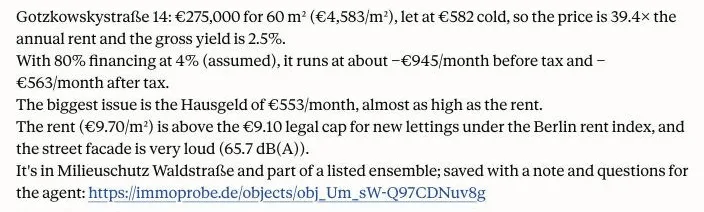
Without the connector the prompt works too. Claude opens the instructions and the listing itself and answers with a link to the calculator.
Read https://immoprobe.de/skill.md, then give me the link to the Immoprobe calculator for this listing: https://…
What the link opens
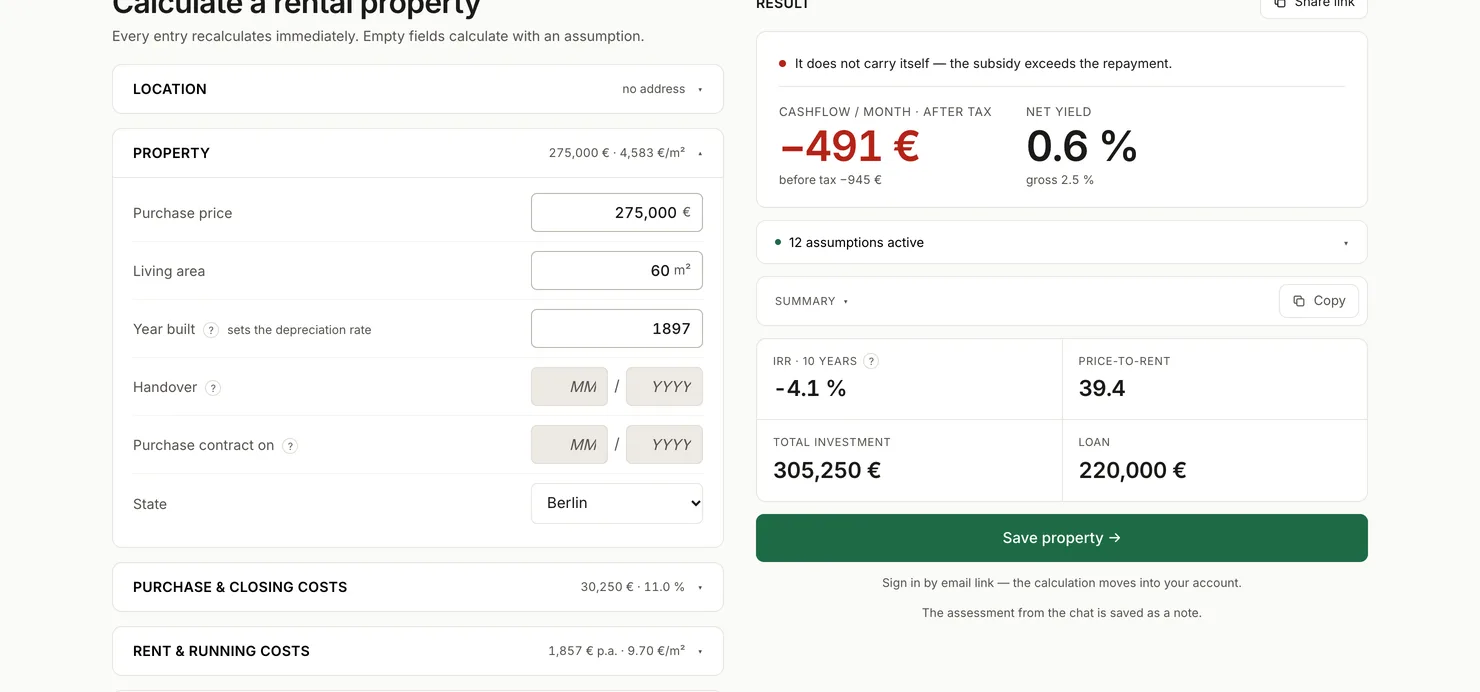
The calculator with every value from the listing, the pin and the assistant's assessment. Estimated values show as assumptions. One click saves the property to your account.
Examples
Check a listing
A link from ImmoScout24, Immowelt, Kleinanzeigen or Neubaukompass.
Exposé as PDF
Attach the PDF to the message.
Compare three properties
Open and save each link. Under Compare they sit side by side.
With the Claude connector
Claude runs the numbers in the chat and saves by itself.
Compare what is saved
With the Claude connector.
Your data
What goes where
- Your chat stays with your assistant. Immoprobe only gets what it sends to calculate or save: price, area, address, note.
- Our answers land in your chat, that is with your assistant’s provider and under its rules. That also holds when it compares your saved properties.
- Immoprobe has no AI of its own.
What your assistant may do
- Without a connection the assistant only gives you a link. Nothing is saved until you click.
- With a connection it saves by itself, only after you sign in. Claude asks your permission first.
- It cannot delete anything for good, only move it to the trash.
- Disconnect it and see every action: Settings.
All values are approximations. No tax or investment advice: the assistant’s verdict is its opinion. More in the privacy policy.
For developers and MCP clients
MCP server, Streamable HTTP with OAuth: https://api.immoprobe.de/mcp
Claude Code: claude mcp add --transport http immoprobe https://api.immoprobe.de/mcp
Scripts: a personal access token as a Bearer header, under Settings › For developers →
The connection holds as long as you use it every 90 days. Under Account you see every connection and can disconnect it.
Download the skill (zip) · Read SKILL.md · skill.md · API documentation ↗ · openapi.json ↗ · llms.txt ↗